
TollNow
The TollNow app
-
TollNow is an app for mobile devices, such as smartphones or tablets, which enables the toll to be collected during the journey. It is a practical solution, especially for occasional drivers who do not have an OBU and prefer spontaneous route planning. It is not necessary to book routes in advance.
-
No, with TollNow it is not necessary to book routes in advance or cancel bookings in the event of traffic jams. TollNow makes it easy to start and end a journey using a smartphone or tablet. The toll to be paid is calculated using the recorded positioning data.
-
Toll Collect provides the TollNow app free of charge. The toll collected with the TollNow app is billed using your stored payment method.
-
The TollNow app is available for iOS devices in the Apple App Store and for Android devices in the Google Play Store.
-
The TollNow app works on iOS and Android devices. The current and previous versions of the operating system are supported.
Toll Collect endeavours to support a wide range of devices with the TollNow app. In exceptional cases, Toll Collect reserves the right to exclude certain device types from using TollNow for technical reasons.
-
The use of the TollNow app is excluded for the following smartphone manufacturers:
Manufacturer: OnePlus
Operating system: Android
Version: All
Reason: Adjustments to battery management; risk of unintentional termination of the app
If the TollNow app has already been installed on one of these devices, a blocking message will appear in the app at the start of the journey. The journey cannot be started and it is not possible to use the TollNow app to pay the toll.
-
OBU user manual (PDF, 5 MB)
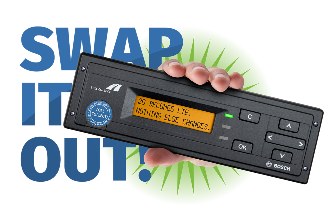
Yes, the TollNow app can still be used. The OBU must be deactivated manually when using the TollNow app so that the toll is not billed twice.
The Toll Collect OBU can be deactivated as follows:
- In the "Toll collection" menu, select the "DE: Switched off" option.
- Alternatively, you can also select the "DE: Manual" option, but this setting only deactivates the OBU toll collection until the vehicle is next restarted!
-
TollNow is a reliable toll system. Unlike an OBU permanently installed in a truck, TollNow runs on a smartphone/tablet and is therefore more susceptible to external influences.
-
The driver's obligations are somewhat more extensive when using the app: while an OBU collects the toll automatically, the truck driver must switch the TollNow app on at the start of the journey and switch it off at the end.
The following must also be observed when using TollNow:
- The smartphone/tablet must be mounted in the vehicle in such a way that, on the one hand, the vehicle position can be determined and, on the other hand, the use of the device complies with any legal or regulatory requirements (e.g. by means of a holder). For further information, please refer to Section 23 Para. 1a StVO*
- The mobile phone connection must be continuously available.
- The smartphone/tablet must be permanently supplied with power.
- The alert tone for messages must be set to an appropriate volume.
When using TollNow, users are also responsible for keeping an eye on how their own device and the app work and for observing the relevant warnings.
To ensure that the toll is collected reliably, we recommend running the TollNow app in the foreground, i.e. actively showing the app on the display and
- not closing the app,
- not returning to the smartphone or tablet home screen,
- and not opening any other apps.
*Obligations of drivers according to Section 23 Para. 1a StVO [Straßenverkehrs-Ordnung: German Road Traffic Regulations]:
(1a) 1 Anyone driving a vehicle may only use an electronic device that serves or is intended to serve communication, information or organisation purposes if
1. the device is neither picked up nor held for this purpose and
2. either
a) only a voice control and read-aloud function is used or
b) operation and use of the device only requires a brief look at the device, depending on the road, traffic, visibility and weather conditions, while simultaneously looking away from the road situation.
Requirements for using the TollNow app
-
Use of the TollNow app requires the following:
- Company and vehicles are registered with Toll Collect.
- Access to the mobile phone network
- Smartphone or tablet with data plan
- Smartphone or tablet with the latest and previous version of the iOS or Android operating system
- Access to the Apple App Store or Google Play Store
- Permission for precise location tracking by TollNow (permanent/always)
- Permission to display notifications via TollNow
-
Yes, your company must already be registered as a customer with Toll Collect. If you are not yet registered with Toll Collect but would like to use the TollNow app, you can complete the registration here .
-
Yes, only vehicles that are registered with Toll Collect can be selected in the TollNow app. You can find more information about the registration of vehicles here .
-
When you register your company with Toll Collect, you will receive access details for the Toll Collect customer portal. Please log in to the TollNow app with these access details. We recommend creating one sub-account per driver.
The authorisations for each driver can be managed individually via the master account. You can create a maximum of 25 sub-accounts. You can find more information on this here in the customer portal FAQs.
Operation and functionality of the TollNow app
-
The toll is billed using the payment method you have stored in the Toll Collect customer portal. At Toll Collect, you can pay the toll using settlement by credit account (advance bank transfer), direct debit, credit card and fuel card.
-
The TollNow app is available in the following languages:
- German
- English
- Polish
- French
- Dutch
- Russian
- Czech
- Romanian
-
More about control
The Federal Logistics and Mobility Office (BALM) checks truck toll payments for TollNow users in the same way as for vehicles equipped with an OBU or for which a manual log-on is available.
-
When you start the app for the first time, TollNow guides you through an onboarding process. This tells you how to ensure reliable toll collection by TollNow.
-
When you start the TollNow app for the first time, an onboarding process guides you through the set-up. Among other things, this process includes a technical check of your smartphone/tablet to ensure that all the functions required for toll collection are available.
Please note: The queries during the onboarding process must be answered and the necessary permissions granted so that the TollNow app can be used:
- Permission for precise location tracking by TollNow (permanent/always)
- Deactivation of energy-saving mode
- Active connection to the internet
- Permission to display notifications via TollNow
Problems logging in and starting the TollNow app
-
Below the login you will find the option "Forgot your password?". This function redirects you to the Toll Collect customer portal, where you must follow the instructions for restoring your login details. If you are still unable to access the TollNow app, please contact the service hotline.
-
If your account is locked, you can unlock it again using the "Forgot your password?" function under the login. This function redirects you to the Toll Collect customer portal, where you must follow the instructions for restoring your login details. If you are still unable to access the TollNow app, please contact the service hotline.
-
You can reach us Monday to Friday from 7am to 7pm at 0800 222 26 28 (Germany) and 00800 0 222 26 28 (abroad). Please always have your customer number ready for telephone enquiries.
In addition, you can use the contact form for written enquiries or contact service@toll-collect.de directly. Please note that it may take a few days to respond to written enquiries.
If you have problems with the TollNow app outside service hours, please use manual log-on for toll collection.