
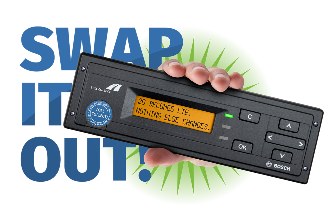
OBU: updating the operating data
Berlin,
If a truck has been decommissioned for an extended period or has been travelling outside of Germany, this message could appear on the OBU display: "OPERATING DATA INVALID". The LED will also light up red. Here are some tips on how to proceed if this happens.
The message means that the On-Board Unit's operating data (route and rate data) are no longer valid. The OBU must download the current data wirelessly. This only works in Germany.
If this occurs, do not turn off the ignition!
- Do not drive on the route subject to toll yet
- Re-start your vehicle after around 10 minutes. Normally the OBU will have then loaded the new data and the LED is green.
- If the message continues to be shown, book the route via the app or online. Set the OBU to "TOLL COLLECTION MANUAL".
- Try again after at least four hours: re-start your vehicle, leave the ignition on and start it once again after around ten minutes.
If the OBU continues to display a red LED and the "OPERATING DATA INVALID" message, please contact one of our service partners.